
Artificial intelligence (AI) is changing how people work, learn, and create content. In this ChatGPT vs Claude comparison, we explore how two of the biggest names in AI help users with everyday tasks.
Millions of people use these AI chatbots every day to write emails, solve math problems, generate code, summarize documents, brainstorm ideas, and much more.
But if you’re wondering “Which AI is better: ChatGPT or Claude?”, you’re not alone. This is one of the most searched AI questions in the United States.
The truth is that both tools are excellent, but they shine in different areas. ChatGPT is known for being versatile and packed with features, while Claude has earned a reputation for thoughtful writing and handling very long documents.
In this guide, you’ll learn:
- What ChatGPT is
- What Claude is
- How they compare
- Which one is better for writing
- Which one is better for coding
- Which AI offers better value
- Which chatbot you should choose in 2026
Let’s begin.
Table of Contents
- What is ChatGPT
- What is Claude
- ChatGPT vs Claude: Quick Comparison
- Pros & Cons
- Which AI Chatbot Should You Choose
- Final Verdict
What Is ChatGPT?
ChatGPT is an AI chatbot created by OpenAI. It understands everyday language and responds like a human during conversations.
You can ask ChatGPT almost anything, including:
- Answer questions
- Write articles
- Generate emails
- Explain homework
- Solve math problems
- Write computer code
- Translate languages
- Brainstorm ideas
- Summarize documents
- Create study notes
In recent years, ChatGPT has become much more than just a chatbot. Depending on your plan, it can also:
- Analyze images
- Generate AI images
- Search the web
- Help with data analysis
- Understand uploaded PDFs and files
- Assist with business tasks
Because of its wide range of features, many people use ChatGPT as an all-in-one AI assistant.
What Is Claude?
Claude is an AI chatbot developed by Anthropic, an AI company founded by former OpenAI researchers.
Claude was designed with a strong focus on:
- Helpful conversations
- Safe AI responses
- Careful reasoning
- High-quality writing
- Long document analysis
Many professionals choose Claude because it performs especially well when working with lengthy reports, books, research papers, contracts, and technical documents.
Claude also excels at explaining complicated ideas in simple language.
Instead of giving short answers, Claude often provides thoughtful explanations with clear organization.
ChatGPT vs Claude: Quick Comparison
| Feature | ChatGPT | Claude |
|---|---|---|
| Developer | OpenAI | Anthropic |
| Best For | Everyday AI tasks | Writing and long documents |
| Coding | Excellent | Excellent |
| Writing | Excellent | Excellent |
| Research | Excellent | Excellent |
| Image Generation | Yes | Limited compared to ChatGPT |
| Voice Features | Yes | Limited |
| File Analysis | Excellent | Excellent |
| Long Context | Very Strong | Extremely Strong |
| Ease of Use | Very Easy | Very Easy |
The good news is that both AI assistants are among the best available today.
The better choice depends on what you need.
ChatGPT vs Claude for Writing

Writing is one of the biggest reasons people use AI.
Whether you’re creating:
- Blog posts
- School essays
- Marketing copy
- Emails
- Product descriptions
- Social media captions
both AI tools perform very well.
However, they have different writing styles.
ChatGPT Writing Style
ChatGPT usually writes:
- Fast
- Structured
- Clear
- SEO-friendly
- Easy to customize
If you ask it to write casually, professionally, humorously, or formally, it adjusts quickly.
It also follows formatting instructions very well.
This makes it popular among:
- Bloggers
- Copywriters
- Students
- Business owners
- Marketing teams
Claude Writing Style
Claude often produces writing that feels more natural and conversational.
Its responses usually have:
- Better flow
- Smooth transitions
- Less repetition
- Strong readability
Many users say Claude’s writing sounds closer to something written by a person without requiring much editing.
Claude also performs especially well when improving existing writing instead of creating something completely new.
Which AI Wins for Writing?
For SEO content, marketing, and flexibility:
Winner: ChatGPT
For polished storytelling, editing, and natural flow:
Winner: Claude
Both are excellent, and many professional writers actually use both during the editing process.
ChatGPT vs Claude for Coding
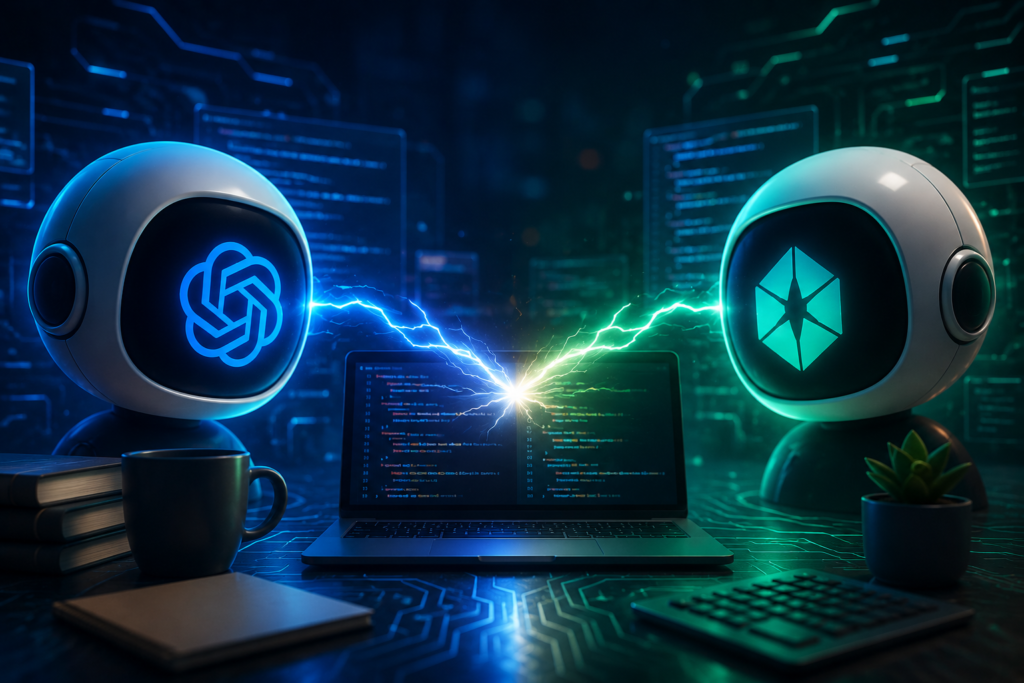
Software developers increasingly rely on AI assistants.
Common coding tasks include:
- Debugging
- Writing functions
- Explaining code
- Learning programming
- Finding errors
- Building websites
- Writing Python scripts
- SQL queries
- JavaScript projects
ChatGPT for Programming
ChatGPT supports many programming languages, including:
- Python
- JavaScript
- Java
- C++
- HTML
- CSS
- SQL
- PHP
- Go
- Rust
It can:
- Explain errors
- Suggest improvements
- Write complete programs
- Optimize code
- Generate documentation
Many developers also appreciate ChatGPT’s ability to explain difficult programming concepts in beginner-friendly language.
Claude for Programming
Claude is also highly capable at coding.
Developers often use it because it:
- Explains complex code clearly
- Understands larger codebases
- Reviews long files effectively
- Spots logical mistakes
Claude performs especially well when reviewing existing projects rather than generating small snippets.
Which AI Wins for Coding?
If you mainly generate code, debug projects, or learn programming:
Slight Winner: ChatGPT
If you’re reviewing large software projects or analyzing long code files:
Slight Winner: Claude
Overall, both rank among the best AI coding assistants available today.
ChatGPT vs Claude for Research

Research involves more than answering questions.
Good research assistants should:
- Explain concepts
- Organize information
- Summarize documents
- Compare products
- Analyze reports
- Simplify technical topics
ChatGPT Research
ChatGPT is excellent at:
- Explaining difficult ideas
- Creating summaries
- Making comparisons
- Organizing information
- Breaking down complicated subjects
It also performs well when users need information presented in tables, lists, or step-by-step guides.
Claude Research
Claude is especially strong when working with:
- Academic papers
- Long reports
- Business documents
- Contracts
- Books
- Policy documents
Because Claude can maintain context across very large inputs, it often produces more complete summaries for lengthy documents.
Which AI Wins for Research?
For everyday research:
Winner: ChatGPT
For analyzing very large documents:
Winner: Claude
ChatGPT vs Claude for Reasoning
Reasoning means solving problems by thinking through multiple steps instead of simply giving quick answers.
Examples include:
- Logic puzzles
- Business planning
- Decision-making
- Complex mathematics
- Strategic thinking
- Multi-step problem solving
Both ChatGPT and Claude have improved significantly in reasoning capabilities over the past few years.
ChatGPT is often faster at breaking problems into structured steps and offering practical solutions. It does well with planning projects, creating workflows, and explaining technical concepts in a way that’s easy to follow.
Claude, on the other hand, tends to produce more detailed reasoning for nuanced or complex questions. It often spends more effort considering different possibilities before arriving at an answer, which can make its responses feel more thoughtful.
For everyday users, the difference is usually small. Both AI assistants can solve complex problems, explain their reasoning, and help users understand challenging topics.
ChatGPT vs Claude for Image Generation

Artificial intelligence can now create images from simple text prompts. This is useful for:
- Blog featured images
- Social media posts
- Marketing graphics
- Presentations
- Digital artwork
- Product concepts
However, ChatGPT and Claude are very different in this area.
ChatGPT Image Generation
ChatGPT includes built-in AI image generation, allowing users to create original images by simply describing what they want.
For example, you can ask it to create:
- A futuristic city at sunset
- A realistic business office
- A cartoon character
- A product mockup
- A blog featured image
- A fantasy landscape
You can also edit existing images by changing backgrounds, removing objects, or adding new elements.
For content creators, bloggers, marketers, and designers, this is a major advantage because everything happens within the same chat.
Claude Image Features
Claude can understand and analyze images, such as screenshots, charts, diagrams, and photos. It can explain what it sees, answer questions about an image, and extract useful information.
However, Claude is not designed as a dedicated AI image generator in the same way ChatGPT is. If your workflow depends on creating original artwork or blog graphics directly from text prompts, ChatGPT currently offers a more complete experience.
Winner for Image Generation
Winner: ChatGPT
If you regularly create blog posts, presentations, or social media content, ChatGPT is the stronger choice because it combines writing and image creation in one tool.
ChatGPT vs Claude Pricing
Both companies offer free and paid plans.
The free versions are suitable for:
- Asking questions
- Learning new topics
- Basic writing
- Everyday productivity
The paid plans unlock additional capabilities, such as:
- Access to more advanced AI models
- Higher usage limits
- Faster responses during busy periods
- Better performance on complex tasks
- More advanced tools and features
Pricing can change over time, so it’s always best to check the official websites before subscribing.
Which Offers Better Value?
If you want one AI assistant that combines writing, coding, research, web browsing, image generation, and file analysis, ChatGPT generally provides more features in a single subscription.
If your work mainly involves writing, editing, or analyzing very large documents, Claude’s paid plan can also provide excellent value.
Winner for Value
Slight Winner: ChatGPT
ChatGPT vs Claude Speed
Speed matters when you’re using AI throughout the day.
No one wants to wait several minutes for every response.
ChatGPT
ChatGPT usually responds quickly to everyday questions and maintains a smooth conversational experience.
Claude
Claude is also fast, but because it often produces longer and more detailed answers, responses may sometimes take a little longer to appear.
For simple questions, most users won’t notice a significant difference.
Winner for Speed
Winner: Tie
Both are fast enough for everyday use.
ChatGPT vs Claude for Students
Students use AI for:
- Homework help
- Studying
- Essay writing
- Math explanations
- Science topics
- Test preparation
- Learning programming
- Language practice
ChatGPT
ChatGPT excels at:
- Explaining difficult concepts in simple language
- Creating study guides
- Generating practice questions
- Helping with coding assignments
- Summarizing lessons
It also supports images, which can be helpful for understanding diagrams and visual learning.
Claude
Claude is especially useful when students need to:
- Read lengthy research papers
- Analyze academic articles
- Improve essays
- Understand complex reading materials
Winner for Students
Winner: ChatGPT
Its broader feature set makes it an excellent all-around learning assistant.
ChatGPT vs Claude for Professionals
Professionals use AI in many industries, including:
- Marketing
- Finance
- Education
- Software development
- Healthcare administration
- Customer service
- Human resources
- Business consulting
ChatGPT
Professionals often choose ChatGPT for:
- Email drafting
- Business reports
- Presentations
- Coding assistance
- Brainstorming ideas
- Data analysis
- Content creation
Because it combines multiple tools in one place, it fits many different workflows.
Claude
Claude is popular among professionals who spend much of their day working with:
- Contracts
- Policy documents
- Technical documentation
- Research reports
- Long business files
Its ability to maintain context across lengthy documents is particularly useful for document-heavy work.
Winner for Professionals
Winner: Tie
The better choice depends on the type of work you do.
Pros and Cons: ChatGPT vs Claude
ChatGPT Pros
- Very easy to use
- Excellent for writing and brainstorming
- Strong coding capabilities
- Built-in image generation
- Web browsing support
- Great for students
- Versatile for personal and business use
ChatGPT Cons
- Responses can occasionally be overly confident, so important facts should be verified.
- Some advanced features require a paid subscription.
Claude Pros
- Excellent natural writing
- Outstanding long-document analysis
- Clear explanations
- Strong reasoning
- Great for editing large pieces of text
Claude Cons
- Fewer built-in creative tools than ChatGPT.
- Not focused on generating original AI images.
Which AI Chatbot Should You Choose?

There isn’t a single “best” AI for everyone.
Choose ChatGPT if you:
- Want one AI for almost everything
- Create blog posts
- Need coding help
- Want AI-generated images
- Need web research
- Are a student
- Run a business
- Create marketing content
Choose Claude if you:
- Read long documents every day
- Edit large reports
- Write detailed articles
- Analyze research papers
- Prefer longer explanations
For many users, using both tools together can be beneficial. ChatGPT can help with brainstorming, coding, and creative tasks, while Claude can assist with polishing writing and reviewing lengthy documents.
Final Verdict
The competition between ChatGPT and Claude has made AI better for everyone. Both assistants are among the most capable AI tools available in 2026, and each continues to improve rapidly.
If you’re looking for an AI assistant that can handle writing, coding, research, brainstorming, web browsing, image creation, and everyday productivity in one place, ChatGPT is the stronger all-around choice.
If your work centers on long-form writing, editing, or analyzing extensive documents, Claude remains an outstanding option.
The right choice ultimately depends on how you plan to use AI. Many professionals even use both tools because each has unique strengths.
Conclusion
Both ChatGPT and Claude are excellent AI assistants, and either can save you time, improve productivity, and simplify everyday tasks. In this ChatGPT vs Claude comparison, both tools show strong capabilities, but the best choice depends on your specific needs.
If you want the most versatile AI chatbot with powerful writing, coding, image generation, research, and productivity features, ChatGPT is the better overall choice in 2026.
If your primary focus is analyzing long documents, refining writing, or working with detailed reports, Claude is a fantastic alternative.
As AI technology continues to evolve, both platforms will keep improving. The best way to decide is to try their free versions and see which one fits your workflow.
Try ChatGPT and Claude Today
Still deciding between ChatGPT and Claude? Explore both AI assistants to see which one fits your needs for writing, coding, research, learning, and productivity. Choose the tool that helps you work smarter and get more done.
For more Articles – Visit our page – AI UNPACKED
Official Resources for Further Reading
For the latest features and official documentation, refer to these sources:
- ChatGPT
- OpenAI
- OpenAI Help Center
- Claude AI
- Anthropic
- Claude Documentation
- Claude Help Center
- National Institute of Standards and Technology (NIST) – Artificial Intelligence Resources
These sources are suitable for supporting information about ChatGPT, Claude, AI capabilities, AI safety, and responsible AI usage.
Frequently Asked Questions (FAQs)
Is ChatGPT better than Claude?
For most everyday users, ChatGPT offers a wider range of features, including writing, coding, image generation, and research. Claude excels at long-form writing and document analysis.
Can Claude replace ChatGPT?
Claude can perform many of the same tasks, but it does not currently offer the same all-in-one feature set. Whether it can replace ChatGPT depends on your specific needs.
Which AI is better for coding?
Both perform very well. ChatGPT has a slight edge for generating code and learning programming, while Claude is excellent at reviewing and explaining larger codebases.
Which AI writes better?
Claude often produces smoother, more natural long-form writing. ChatGPT provides highly customizable content and is especially strong for SEO, marketing, and structured writing.
Is ChatGPT free?
Yes. ChatGPT offers a free plan, along with paid plans that provide access to more advanced AI models and additional features.
Is Claude free?
Yes. Claude also offers a free plan, with paid options for users who need higher limits and advanced capabilities.
Which AI should beginners use?
ChatGPT is generally the better choice for beginners because of its user-friendly interface, broad feature set, and versatility across many different tasks.